What is corporate email?
Corporate email is a professional email address where, after the @ symbol, there is not a generic domain (for example, @gmail.com), but the name of your company (for example, @your-brand.com).

Why Does a Business Need Its Own Domain-Based Email?
- Image and Trust: Clients are generally more likely to interact with companies that use official domains.
- Branding: When a client receives a newsletter or message from you, one glance is all it takes to understand who sent the email and why.
- Security: All data is the property of the company, rather than belonging to each employee individually.
Advantages of Switching to Gmail Business Email
Today, Gmail business account is the gold standard for millions of companies worldwide. By choosing Gmail for Business (part of the Google Workspace ecosystem), you receive:
- Reliability. Google’s ultra-reliable servers guarantee 99.9% uptime for your email.
- Artificial Intelligence. Built-in Gemini AI is available across all services within the Google Workspace ecosystem.
- Centralized Management. The Google Admin Console provides a single administrative panel to manage all organizational accounts from one place: create mailboxes for new employees, reset passwords, or revoke access for those leaving the company, ensuring all work content stays within the organization.
- Integration. Business Gmail automatically connects your team to the entire Google Workspace ecosystem. This means you and your team have a shared workspace and a full suite of modern tools.
- Security. Google Workspace email features world-class spam filters and phishing protection. Modern data protection tools provide automatic backups to keep corporate data secure.
How to create a Business Gmail account? Step-by-step instructions
Creating a Google business email is not difficult; it can be done in a few simple steps:
- Register with Google Workspace. Go to the official website or contact partners such as mcCloud for special terms and conditions.
- Select a domain. You can connect an existing domain or create a new one directly during the registration process.
- Confirm ownership. This is a technical step where you need to add MX records to your hosting settings. This is how Gmail Business email is activated.
- Creating accounts. Next, you need to create corporate email for each department (sales@, info@) and employee. You can also create free aliases. For example, one employee can receive emails simultaneously at jack@company.com and sales@company.com without paying for an additional account.
After registering your account, you only need to follow a few steps to create corporate accounts for your employees:
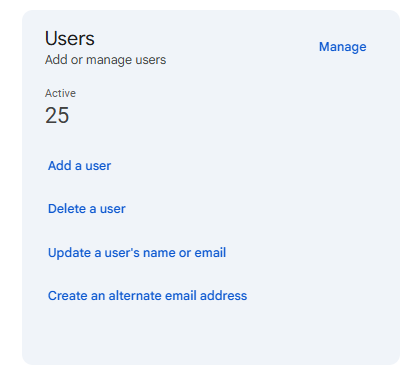
1. On the main administrator console, select the “Users” section and click “Add User.”
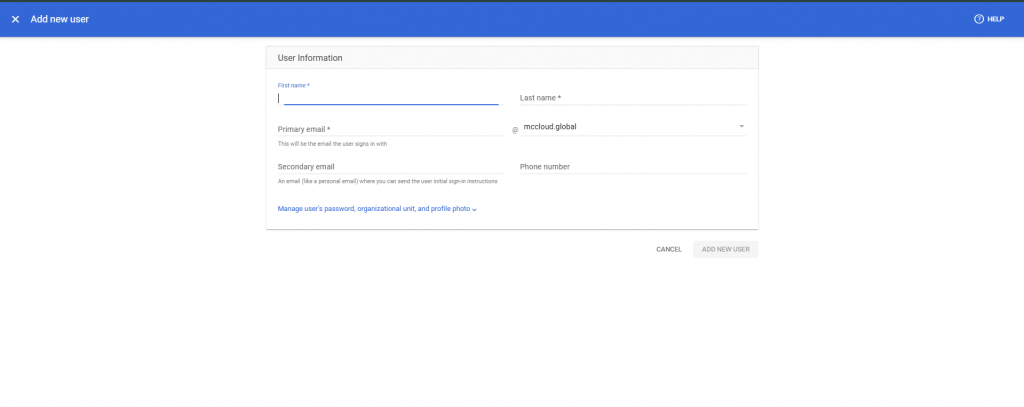
2. Fill in brief information about the future user and confirm the creation in the form (example of the form below).
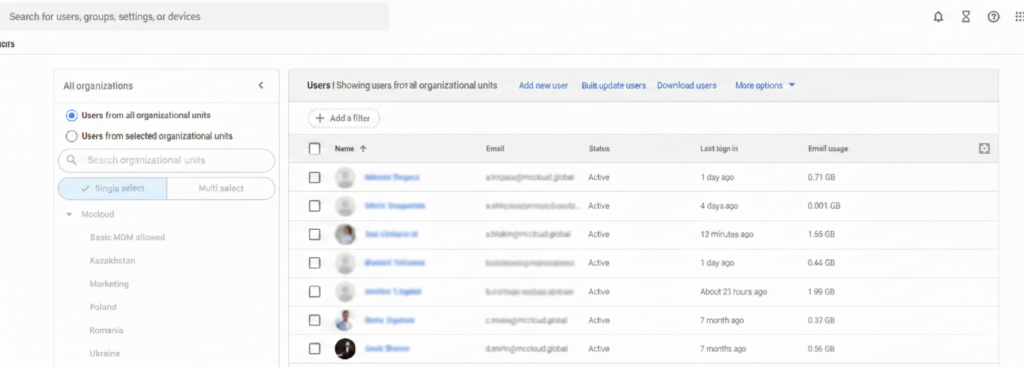
3. It is possible to view the list of users centrally, as well as edit (add, delete, block) and make personal settings for each user individually.
Logging into Business Gmail account and getting started
Once you have completed the setup, you can log into your corporate email via the standard gmail.com page or mobile app. Simply enter your full corporate address and password. This allows your team to stay connected from any device while maintaining a high level of data security.
When you use Gmail for Business, you get enterprise-grade security tools that are important to activate right away:
- Two-factor authentication (2FA). Be sure to set up login verification via smartphone or security key. This reduces the risk of account hacking by 99%, even if your password is stolen.
- Signature settings. Create a single signature standard for all employees in your Gmail settings. This will add professionalism to your emails and help with brand recognition.
- Device management. Through the admin panel, Google Admin Console, the administrator can see which devices were used to log in and remotely block access in case of smartphone loss or employee termination.
Why should you order a Workspace email setup from mcCloud specialists?

Professional setup from mcCloud provides additional bonuses:
- Time savings. We professionally write SPF, DKIM, and DMARC protocols. These are digital signatures that confirm to mail servers around the world (such as Outlook or iCloud) that the letter is really from you and not from fraudsters. This ensures that your offers will end up in the “Inbox” and not in “Spam.”
- Speed. The ability to start using Business Gmail as quickly as possible. The right choice of the required version of Google Workspace email. Technical support and assistance in setting up all Google Workspace tools.
- Security. Proper configuration of protection against hacking from day one.
- Cashless payment. Receive all the necessary accounting documents for reporting.
- Free version. Access to a 30-day trial version, rather than a 14-day trial version as with independent registration.
- Training. We will help your team quickly master all the features of Gmail for Business.
Corporate email is the foundation of modern communication. Using a Gmail Business account allows you to conduct professional activities, work faster, and keep your data secure.
Want to set up a professional email today? Contact the experts at mcCloud!
Top articles
How to choose a Google Workspace plan for your business needs Google increases Workspace prices: what will change for businesses? End-to-end encryption (E2EE) in Gmail The mcCloud team attended Google Cloud Day in Bulgaria mcCloud Team at Google SMB Partner Forum in Dublin mcCloud – Official Partner of GoTech World 2025 Romania