Premier Google Workspace Partner
Trusted by clients:











Why migrate to Google Workspace?
Google Workspace brings communication, collaboration, file management, security, and AI into one cloud-based environment –
making everyday work simpler for teams and easier to manage for IT.


Collaborate in real time across Gmail, Drive, Docs, Sheets, Meet, and other Workspace tools from any device.

Manage users, devices, applications, access, and security policies from one centralized Admin Console.

Use Gemini across Google Workspace to help teams create, summarize, analyze information, and get work done faster.

Benefit from Google’s security infrastructure, centralized controls, advanced authentication, and built-in data protection.

Move away from traditional on-premises infrastructure and give teams secure cloud access without relying on local servers or VPNs.

Add users, services, and capabilities as your organization changes without rebuilding your collaboration environment.
Types of Google Workspace Migration
Every migration starts with your existing environment. mcCloud evaluates what needs to move, selects the right migration approach,
and transfers your business data to the appropriate Google Workspace services.
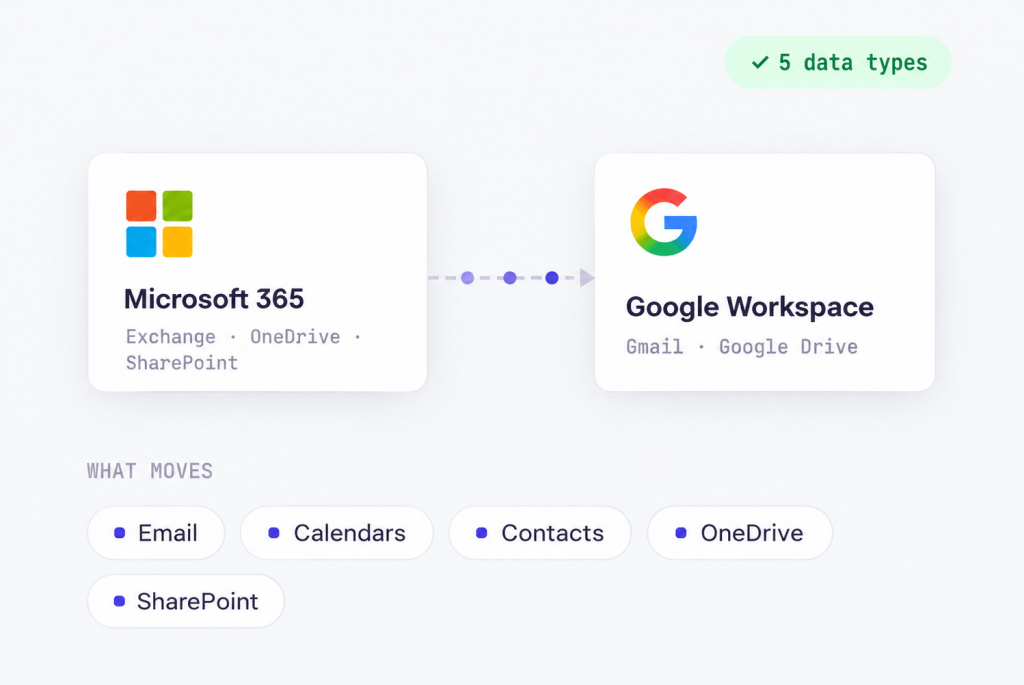
Move Exchange Online email, calendars and contacts to Gmail, and migrate OneDrive and SharePoint data to Google Drive and Shared Drives.
Migrate mailboxes, calendars, contacts, attachments, and supported data from Exchange Online or Exchange On-Premises to Google Workspace.
Move users and supported data between Google Workspace tenants during mergers, acquisitions, domain changes, or organizational restructuring.
Move email from IMAP-compatible platforms to Gmail while preserving supported mailbox data and structures.
Move business files and folders from on-premises file servers and Network Attached Storage to Google Drive.
Move files and supported folder structures from Microsoft cloud storage to Google Drive and Shared Drives.
Consolidate business files from third-party cloud storage into your Google Workspace environment.


A clear plan from day one to go-live
Every migration follows a structured process adapted to your environment, data, business requirements, and timeline.

STEP 1 – Discovery & Assessment

STEP 2 – Planning & Design

STEP 3 – Environment Preparation

STEP 4 – Pilot Migration

STEP 5 – Production Migration

STEP 6 – Validation & Go-live
What to expect from your migration

Your migration is planned around daily operations so your teams can keep working throughout the transition.

Emails, files, calendars, contacts, and supported structures are migrated using proven migration technologies.

Migrated data is checked before go-live to make sure everything has been transferred as planned.

We select the migration technology and strategy based on your current environment, data volume, and business requirements.

The scope, timeline, and rollout are tailored to your infrastructure and operational needs.

Certified Google Workspace specialists manage every stage – from initial assessment and planning to migration and final validation.
Team expertise








Google Workspace support from mcCloud
Keep certified Google Workspace experts by your side after go-live. From troubleshooting and administration to configuration and optimization, mcCloud Support helps you keep Workspace running smoothly as your business evolves.
 Response time under 2 business hours
Get expert help without long waits.- Support in your language
English, Polish, Romanian, and Ukrainian.